Business process automation for companies
At Meypi Developers, a software studio in the Barcelona metropolitan area, we automate processes for businesses across Spain: we connect their tools so data moves from one to another without anyone copying it by hand.
What is business process automation?
Business process automation means the tasks a company repeats every day happen on their own: a program picks up the data, takes it where it needs to go and alerts whoever has to act, without anyone copying it by hand.
It applies to what your team already does every day, such as orders, new clients, invoices or reports, and it works by connecting the tools the company already uses.
Which tasks can be automated?
Sales and clients
A new client
By hand: Typed in three times, once in each program
Automated: Added at once to your management software, your accounting and your email
An enquiry from your website
By hand: Someone forwards it and copies the details by hand
Automated: It reaches the salesperson handling it, with the client’s record ready
A booking or an appointment
By hand: Written down by hand and confirmed by phone
Automated: It goes into the calendar and the client gets the confirmation
A signed contract
By hand: Filed away, then someone creates the client and their first invoice
Automated: It sets up the client and prepares their first invoice
Admin and invoices
An overdue invoice
By hand: Someone checks the list every week
Automated: The reminder goes out on the right day
A supplier invoice
By hand: Typed into the accounts from the PDF
Automated: Its details reach your accounting without anyone typing them
A payment into the bank
By hand: The statement is checked against the invoices one by one
Automated: It is matched to its invoice, which is marked as paid
A document that arrives by email
By hand: Downloaded, renamed and its details typed in
Automated: It is saved in its folder and its details go into the program
Orders and stock
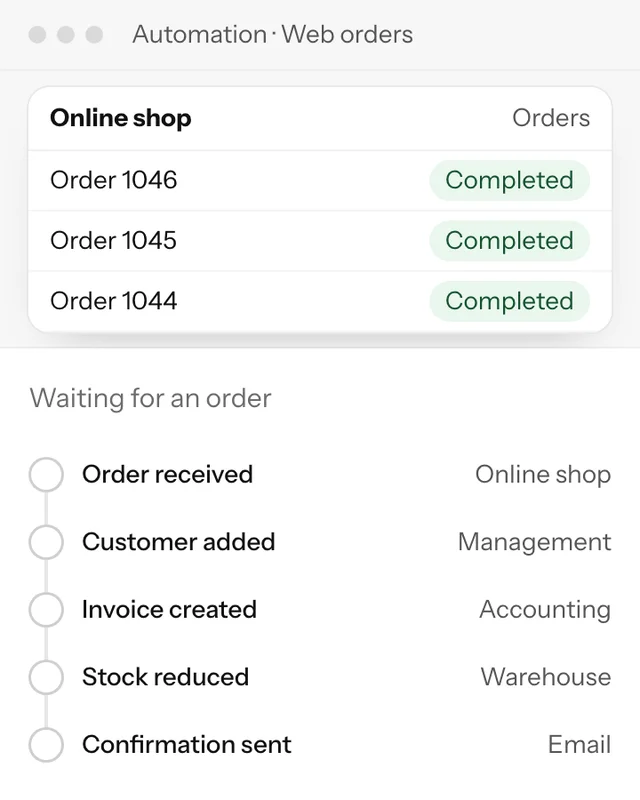
An order from your online shop
By hand: Someone copies it into your management software and raises the invoice
Automated: It goes straight into your management software, gets invoiced and alerts the warehouse
A sale
By hand: Stock is adjusted by hand in each program
Automated: Stock goes down at once in the shop, the management software and the warehouse
A product running out
By hand: Someone notices when there is none left
Automated: An alert goes out to restock it before it runs out
A shipment
By hand: Someone looks up the tracking number and writes to the client
Automated: The client gets the tracking as soon as it ships
Reports and data
The monthly report
By hand: Exported from each program and pieced together in a spreadsheet
Automated: It is generated from the data in every program
Today’s sales
By hand: Requested from each department and added up by hand
Automated: Visible straight away on a dashboard, without asking anyone
A detail that changes, such as an address
By hand: Corrected program by program, and one always gets missed
Automated: Changed in one place and updated everywhere
A backup of the data
By hand: Done by hand whenever someone remembers
Automated: It runs by itself every night and alerts you if something fails
When it does not pay off
If a task happens a few times a month or changes every time, automating it costs more than it saves. It pays off when the task repeats every day, when it passes through several programs, or when a copying mistake costs money.
Business process automation examples
Enquiries from your website
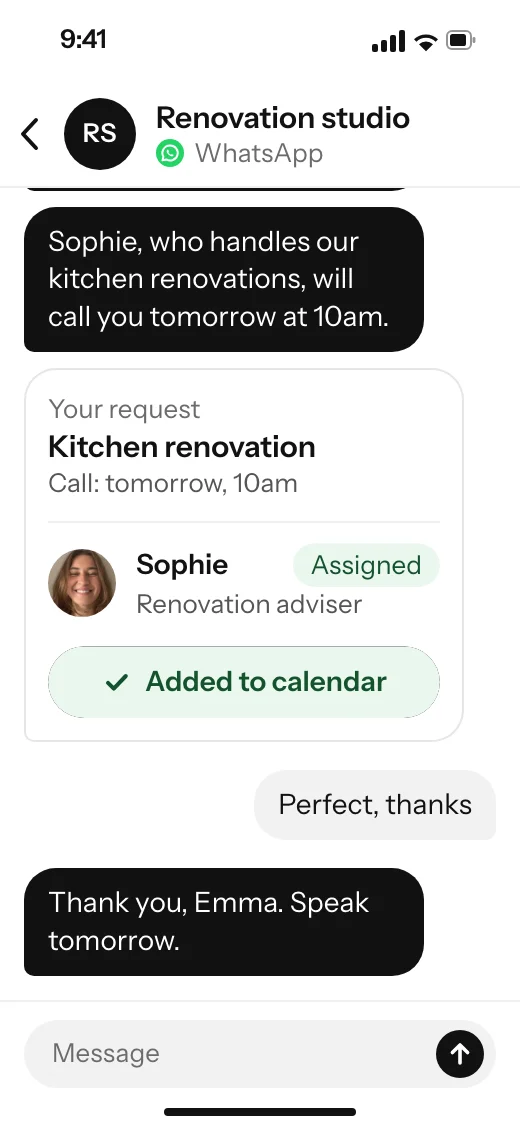
Whoever asks for a quote on your website gets an instant confirmation and the name of the person who will call them. The salesperson gets their record with what they need.
Abandoned carts
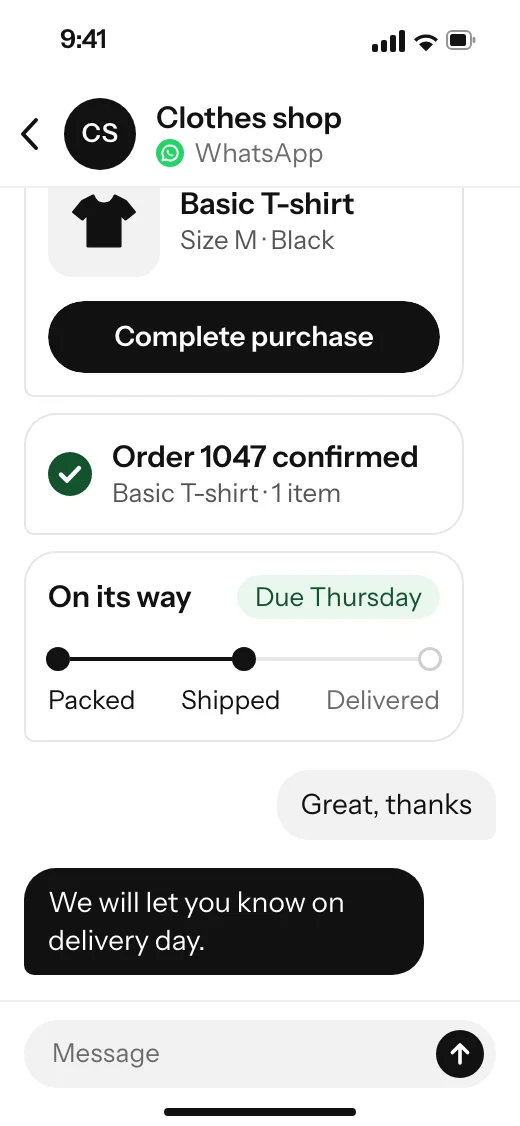
Whoever leaves a purchase half-finished gets a reminder with the product. Once they complete it, they receive the order confirmation and the shipment tracking.
Appointment reminders
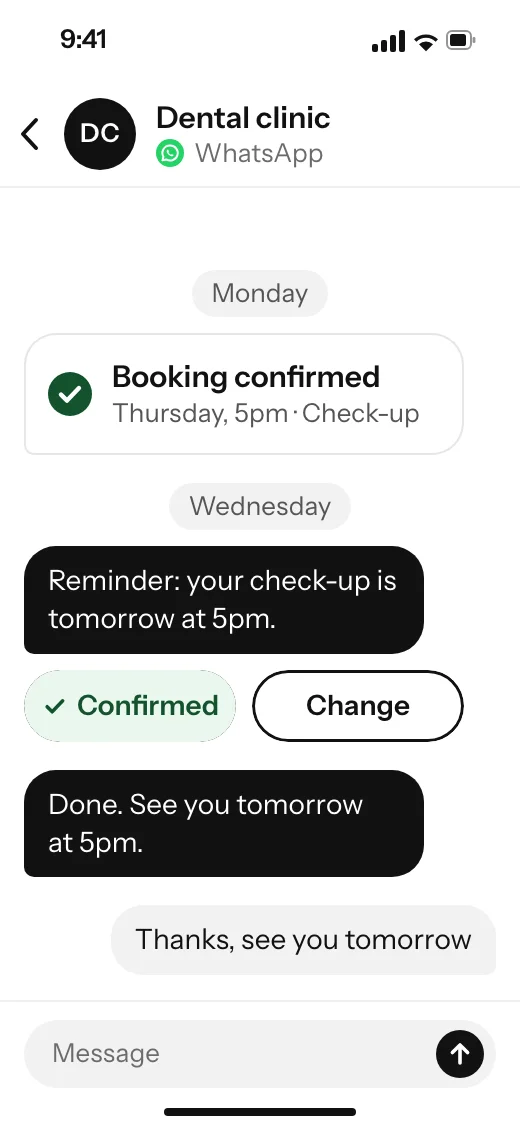
The appointment is confirmed when it is booked and, the day before, a reminder arrives to confirm or change it. Handled by Aipiter.
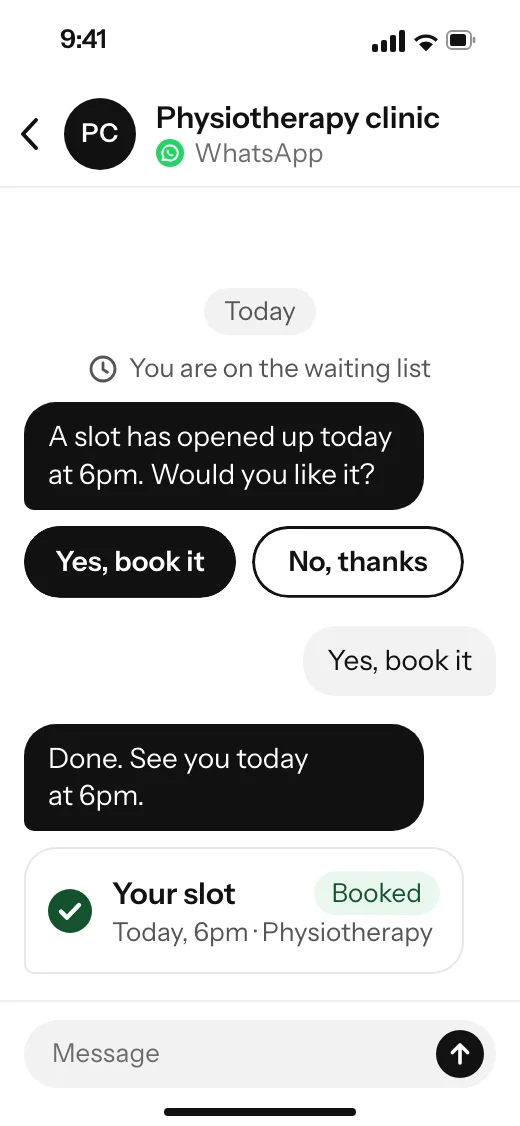
Waiting list
When someone cancels, the slot is offered to the first person on the waiting list, who books it with one tap. Handled by Aipiter.


Questions about business process automation
What are the types of automation?
In a company there are three: the automation built into each program, with its rules and alerts; the kind that connects several programs so they pass data to each other; and a custom-built program for one specific process. Industrial automation, for machines and factories, is something else, and we do not do it.
What is the best tool for automating processes?
It depends on where your data lives. If everything sits in one program, start with the automations it already has. If the process crosses several programs, there are tools that link them for a monthly fee. When they fall short, or the fee grows with use, a custom-built connection pays off.
Can AI automate business processes?
Yes, above all in tasks involving text: sorting emails, pulling the details out of a document or summarising it. Conversations with clients, bookings and quotes have their own program: Aipiter, our business management software.
If you need something else
- Custom software development
When connecting programs is not enough and you need one built for your process.
- Aipiter, our business management software
To run conversations from every channel, your calendar, your quotes and your team from one panel.
- AI consulting services
If you want to know where AI saves you time before building anything.
Tell us what you need
What you want to build, by when and with what budget.